_1@2x.png)
Approve Entries Field Not Showing for Non-Admin Users
If the Approve Entries field is visible for Administrators and Editors but not for other user roles (like Authors, Contributors, or Subscribers), the issue is a missing capability.
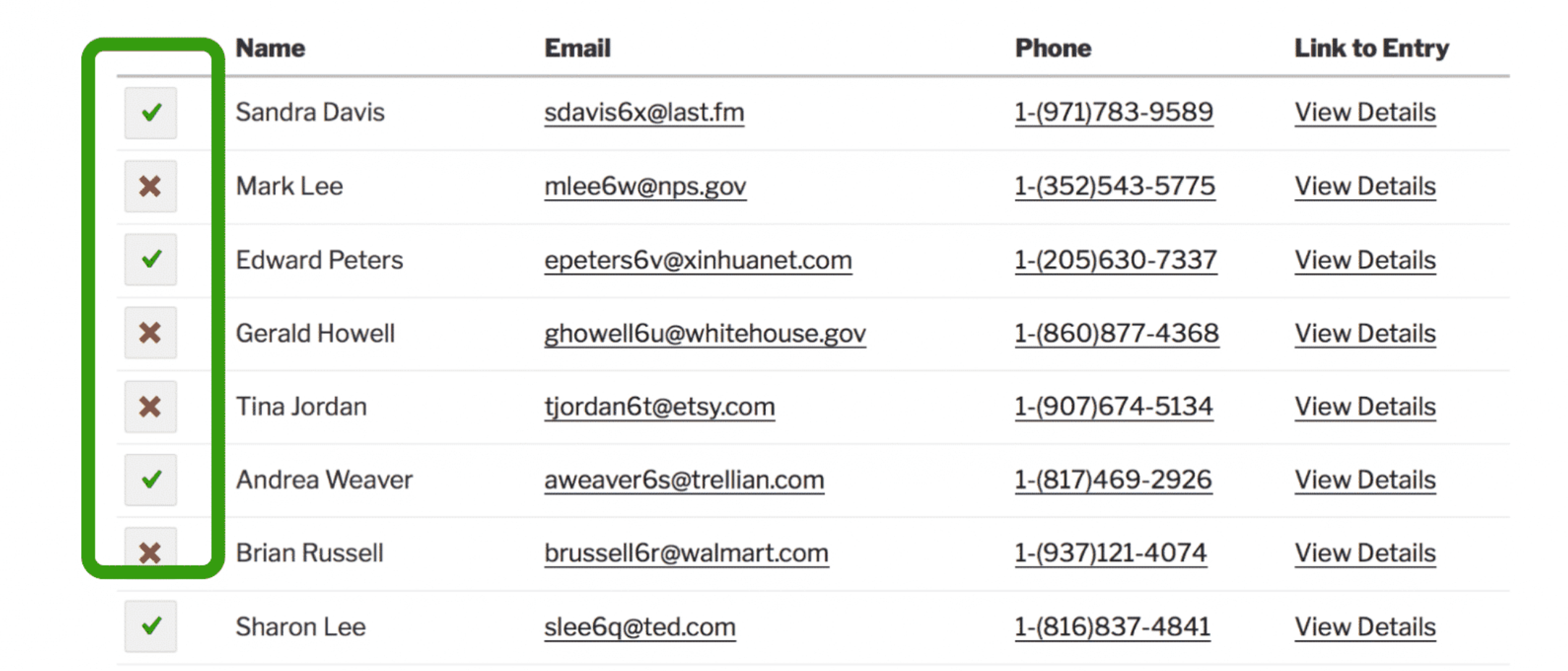
The Cause
The Approve Entries field requires the gravityview_moderate_entries capability to be visible and functional. This capability is only granted to Editors and Administrators by default.
This means that even if you set the field's visibility to "Any Logged-in User" or "Authors or higher", users without the gravityview_moderate_entries capability won't see the field.
Solutions
Option 1: Change the User's Role to Editor
The simplest solution is to change the user's role from Author (or lower) to Editor. Editors have the moderation capability by default.
- Go to Users → All Users
- Click on the user you want to modify
- Change their Role to "Editor"
- Click Update User
Option 2: Add the Capability to the Existing Role
If you need users to remain as Authors (or another role), you can add just the moderation capability using the Members plugin:
- Install and activate the Members plugin
- Go to Members → Roles
- Click on the role you want to modify (e.g., "Author")
- Find and enable the
gravityview_moderate_entriescapability - Click Update
This gives users in that role permission to moderate entries while keeping their other permissions unchanged.
Common Scenarios
If this was working before and suddenly stopped, here are some common reasons why:
- Site migration or staging copy - Custom capabilities don't always transfer between environments
- Role editor changes - Some role editor plugins may reset capabilities when modifying a role
- Custom or membership roles - Roles created by plugins like MemberPress or WooCommerce Memberships won't have GravityView capabilities by default
Regardless of the cause, the fix is the same: add the gravityview_moderate_entries capability to the affected role using the steps above.
Related Articles
- GravityView Capabilities - Complete list of GravityView capabilities
- Creating an Entry Moderator Role - How to create a custom role for entry moderation
- Approving or Rejecting Entries - How to use the approval system